Ziina
Ziina is a UAE payment service. Connect it to take card payments in your app in AED and other currencies. Customers press Pay, pay on a secure Ziina page, and come back to your app to see that it's paid.
What you can build
| App | Ask chat |
|---|---|
| Online shop | "Add a pay button to my cart" |
| Bookings | "Let customers pay for their booking online" |
| Services or a menu | "I want to accept card payments in my shop" |
Ziina takes one-off payments. It isn't for subscriptions that charge customers every month.
Before you start
- A Ziina Business account. You need your Emirates ID to open one, and live payments start once Ziina approves the account.
- Your app's backend, set up in Database & Backend. See Your app needs a backend first.
Get your access token from Ziina
Open Ziina Business Connect. If Ziina asks which platform you use, choose Other builder or custom.
Ziina shows the token once. Copy it straight into TatbiQ, or keep it somewhere safe.
Ziina uses the same token for test and live payments. TatbiQ decides which one happens. Ziina's own steps are in Custom integration for other platforms; the Hub links to them as How to get your Ziina key.
Connect Ziina in TatbiQ
Select Settings below the chat box, then Integration Hub. Select Add an integration and pick Ziina.
Under Connect your Ziina account, paste it into Ziina access token.
The Hub shows We picked the usual choices. Select Change to answer two questions:
Which currencies should this app accept? AED is picked for you.
Is this Ziina account used only by this app? Choose Yes only if no other site or shop plugin uses it.
TatbiQ checks the token with Ziina and shows Keys saved.
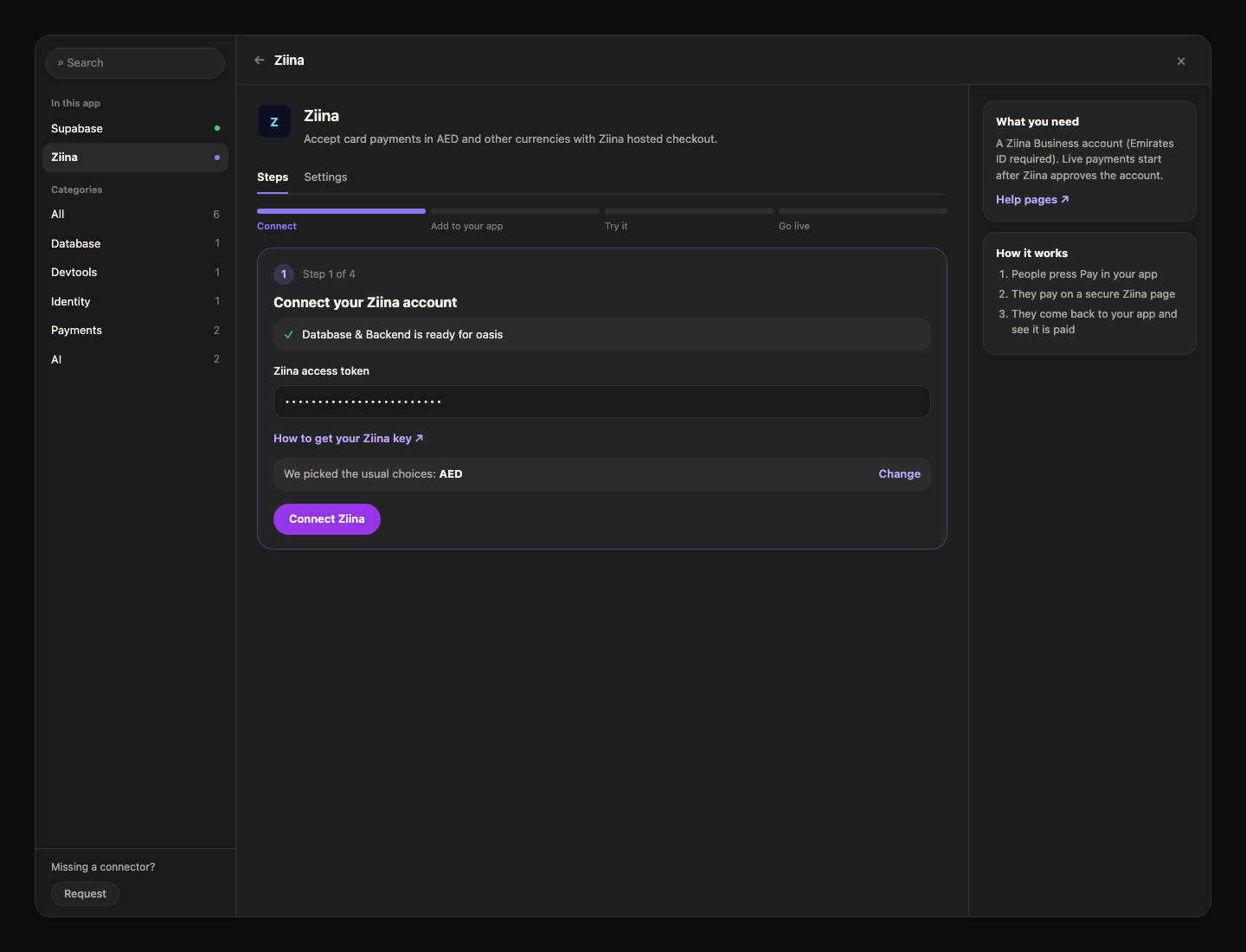
You can also start from chat: ask for a pay button, and chat shows a Connect Ziina card with these questions already answered.
Add it to your app
Under Put Ziina in your app, select Add it with chat. Chat adds:
- A pay button that saves the order, then opens Ziina's checkout. The price always comes from the order saved in your database, never from the page.
- A payment result page that shows Paid (test) for test payments.
- A small "Test mode - no real money moves" note near the pay button while you test.
- An orders table, if your app doesn't have one yet.
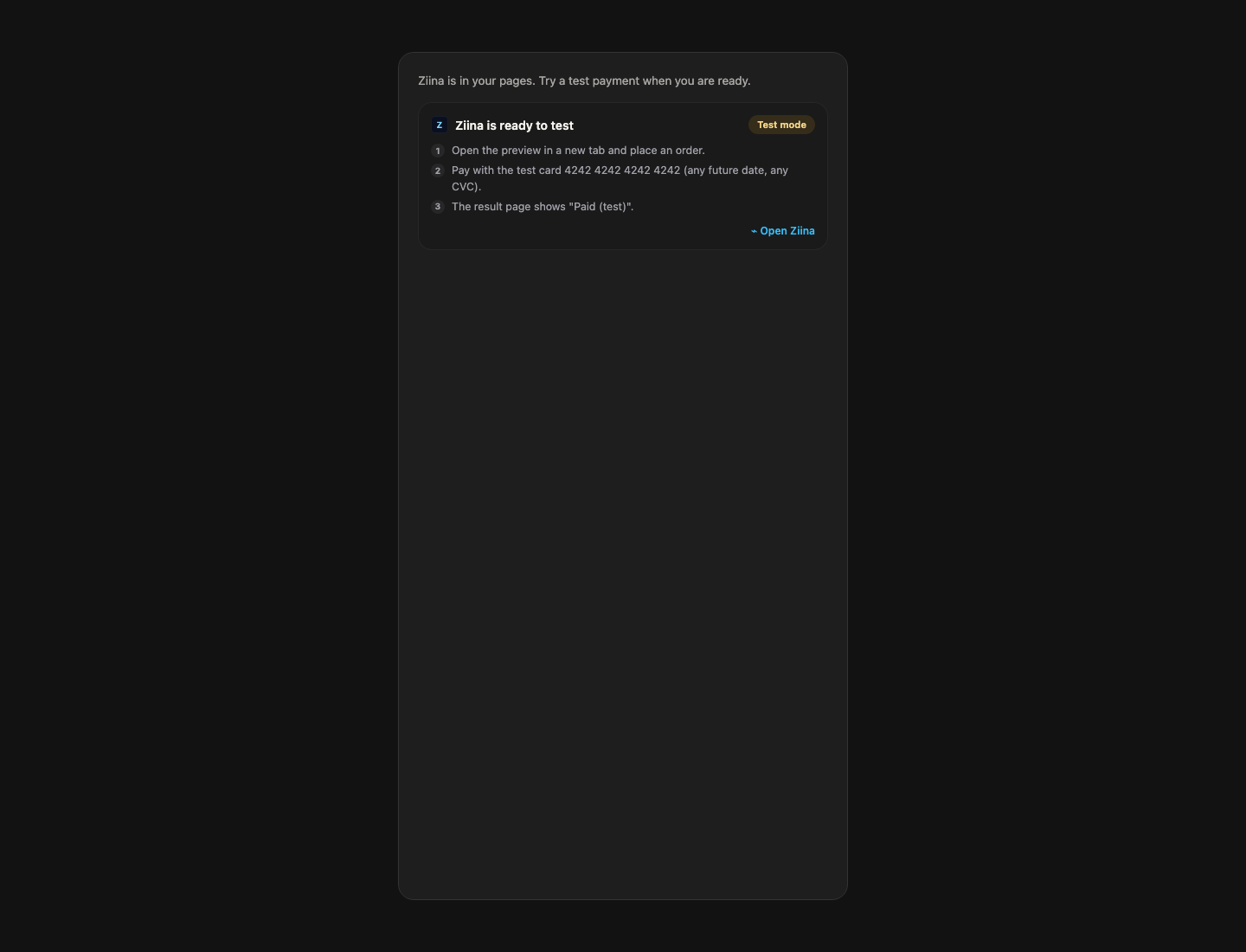
Chat then shows Ziina is ready to test. If it says a database update is waiting, press Migrate first: it adds the orders table payments need.
Try a test payment
Open the preview in a new tab, add something to the cart, and press pay. Checkout opens in a new tab.
Use 4242 4242 4242 4242, any future date and any CVC. No real money moves. Ziina lists more in its test cards; the Hub links to them as Ziina test details.
The result page shows Paid (test). In the Hub, Waiting for your test payment ticks by itself and becomes Test payment received. To check sooner, select Check now.
Go live
Open the Go live step. Two items tick by themselves; tick the first yourself once Ziina has approved you:
| Checklist item | Ticks |
|---|---|
| Your Ziina Business account is approved for live payments | You tick it |
| You completed a test payment in the preview | By itself |
| Your app is published on its final domain | By itself |
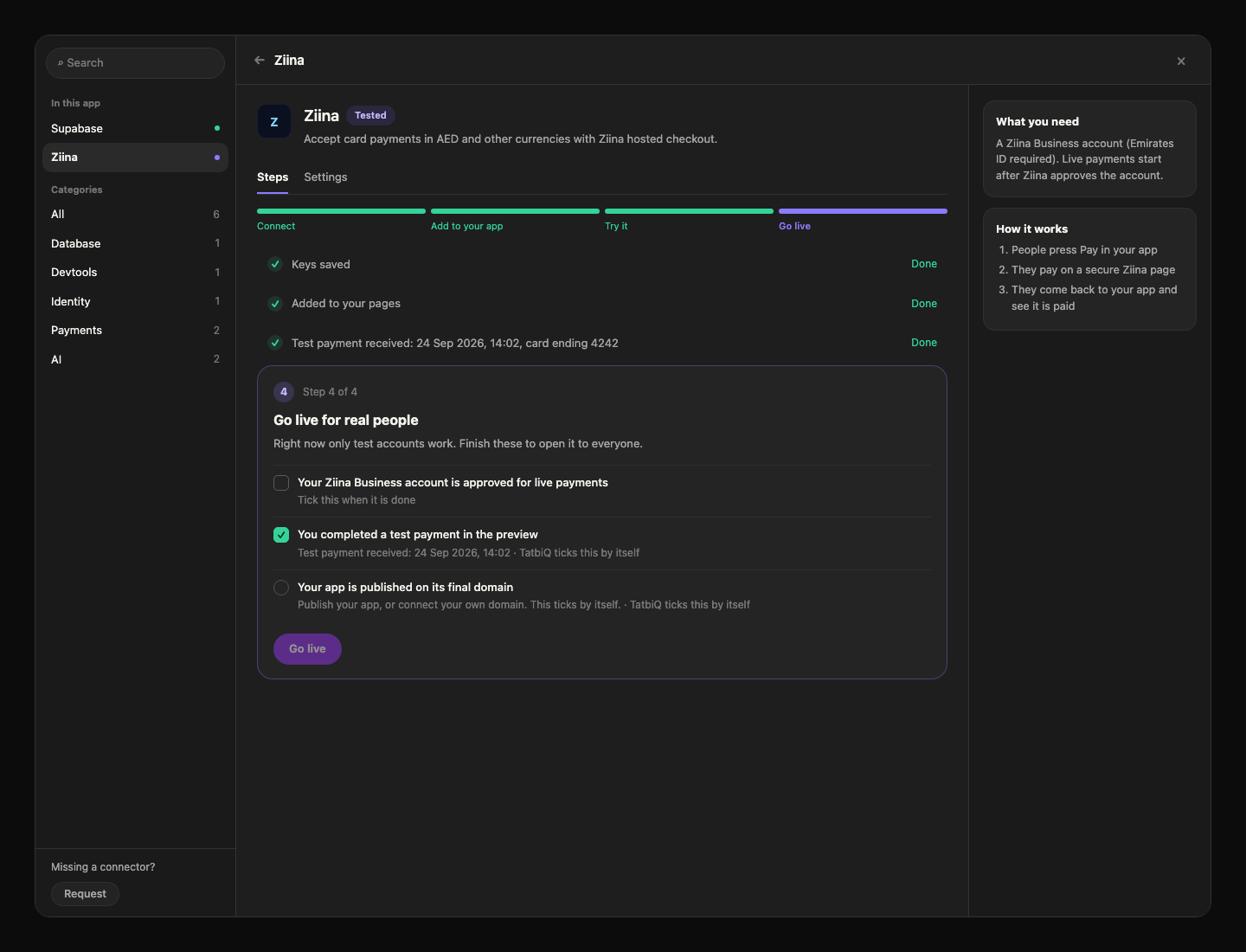
Then select Go live. It takes effect right away, without a rebuild. The Hub shows Waiting for your first live payment until a real one arrives, then Live: first payment received.
Orders marked Paid (test) were paid with a test card. Never ship or deliver them.
Limits and costs
| Fees | Ziina charges its fees on your Ziina account. TatbiQ adds none. Adding Ziina to your pages is a chat edit and uses credits. |
| Currencies | AED, BHD, EUR, GBP, INR, KWD, OMR, QAR, SAR and USD. Your app accepts only the ones you picked. Ziina settles every payment in AED; see Supported currencies. |
| Smallest payment | AED 2. |
| Refunds | Issue them from your Ziina Business account. Questions go to the Ziina help center. |
How your app hears about payments
The result page checks each payment with Ziina as soon as the customer comes back. If they close the tab first, your app still catches up:
- If you answered Yes to Is this Ziina account used only by this app?, Ziina tells your app right away through a webhook. The Hub shows Instant payment updates on.
- Otherwise, your app checks unfinished payments with Ziina every 5 minutes.
Manage and remove
Change currencies under Settings, replace your token, or remove Ziina the same way as any service. See Connect and manage. Removing Ziina keeps every payment record in your database.
Troubleshooting
| You see | What to do |
|---|---|
| "Ziina stopped accepting your keys. Paste them again to fix it." | Generate a new token in Ziina Business. In the Hub, select Fix, paste it, then Check again. |
| "This app does not accept payments in this order's currency." | Add the currency under Settings, Choices for this app. |
| "The order total is below Ziina's minimum payment." | The order is under AED 2. Raise the price or combine items. |
| "Payments are not enabled for this website address yet." | Your app has a new address, such as a new domain. Open Settings, then Advanced, and select Set up again. |
| The result page never says paid | Check the payment in Ziina Business. Your app picks up finished payments within 5 minutes. |
FAQ
Do I need a separate key to go live?
No. Ziina uses the same access token for test and live. Going live switches your app to real payments.
Can I charge customers every month?
Not with Ziina in TatbiQ. It takes one-off payments only.
Can customers change the price in the browser?
No. The price always comes from the order saved in your database.
Why does an order say Paid (test)?
It was paid with a test card while Ziina was in test mode. No real money moved.