Preview your app
Before you publish, you can see your app running live in your browser. The preview lets you click through your app and check how it looks and behaves, so you can keep refining it until it is ready to share.
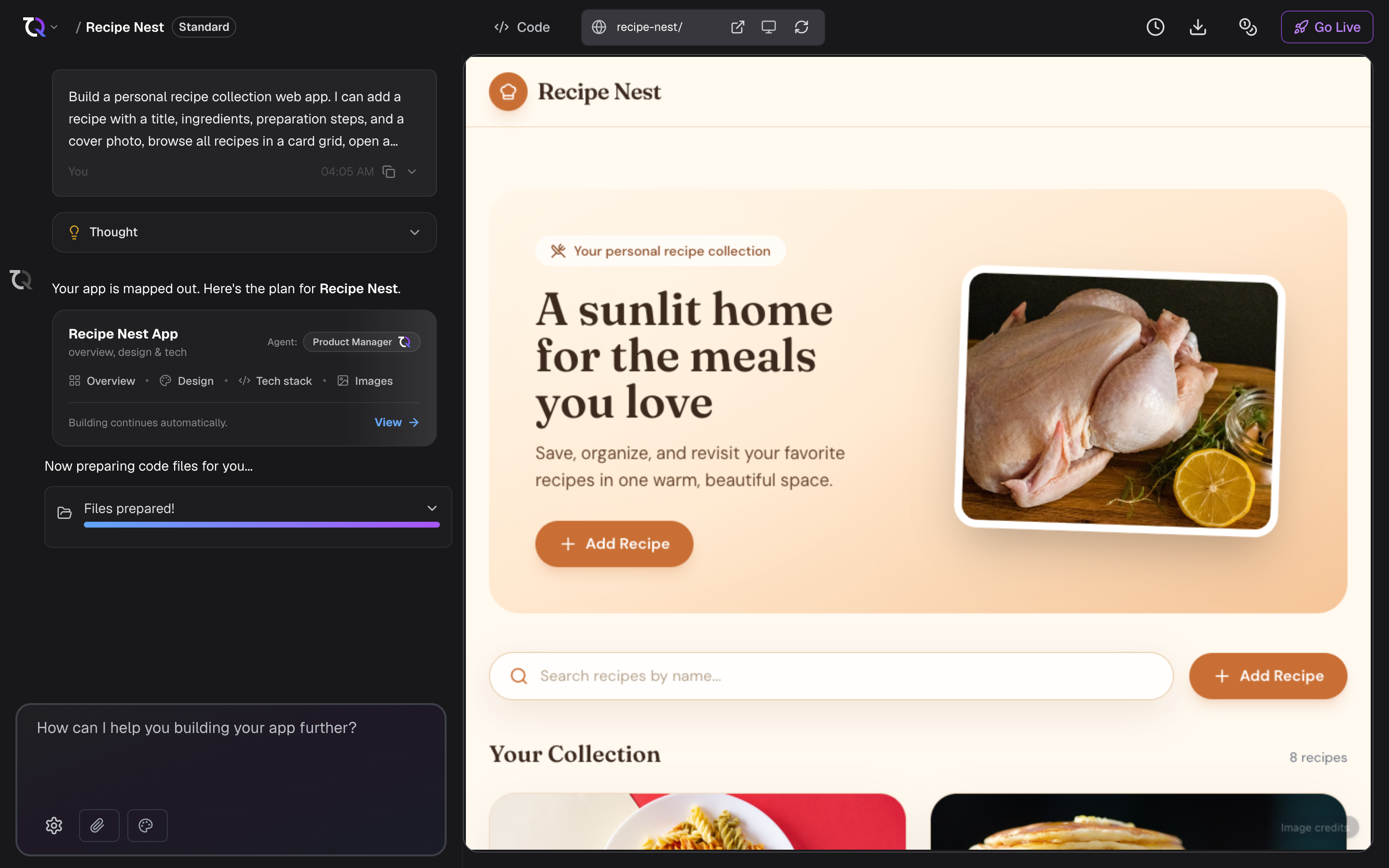
Open the preview
Once TatbiQ finishes generating your app, your project opens with a live preview. When the preview is ready, TatbiQ shows it automatically.
In your project, you can switch between two views:
- Preview shows your running app.
- Code shows the generated source code.
Use the toggle in the project header to switch between Preview and Code.
While your app is still being generated, you may see a Building app preview... message. The preview becomes available once your app is ready.
Try different screen sizes
Your app should look good on any device. In the preview toolbar, use the device options to see how your app appears on:
- Desktop
- Tablet
- Mobile
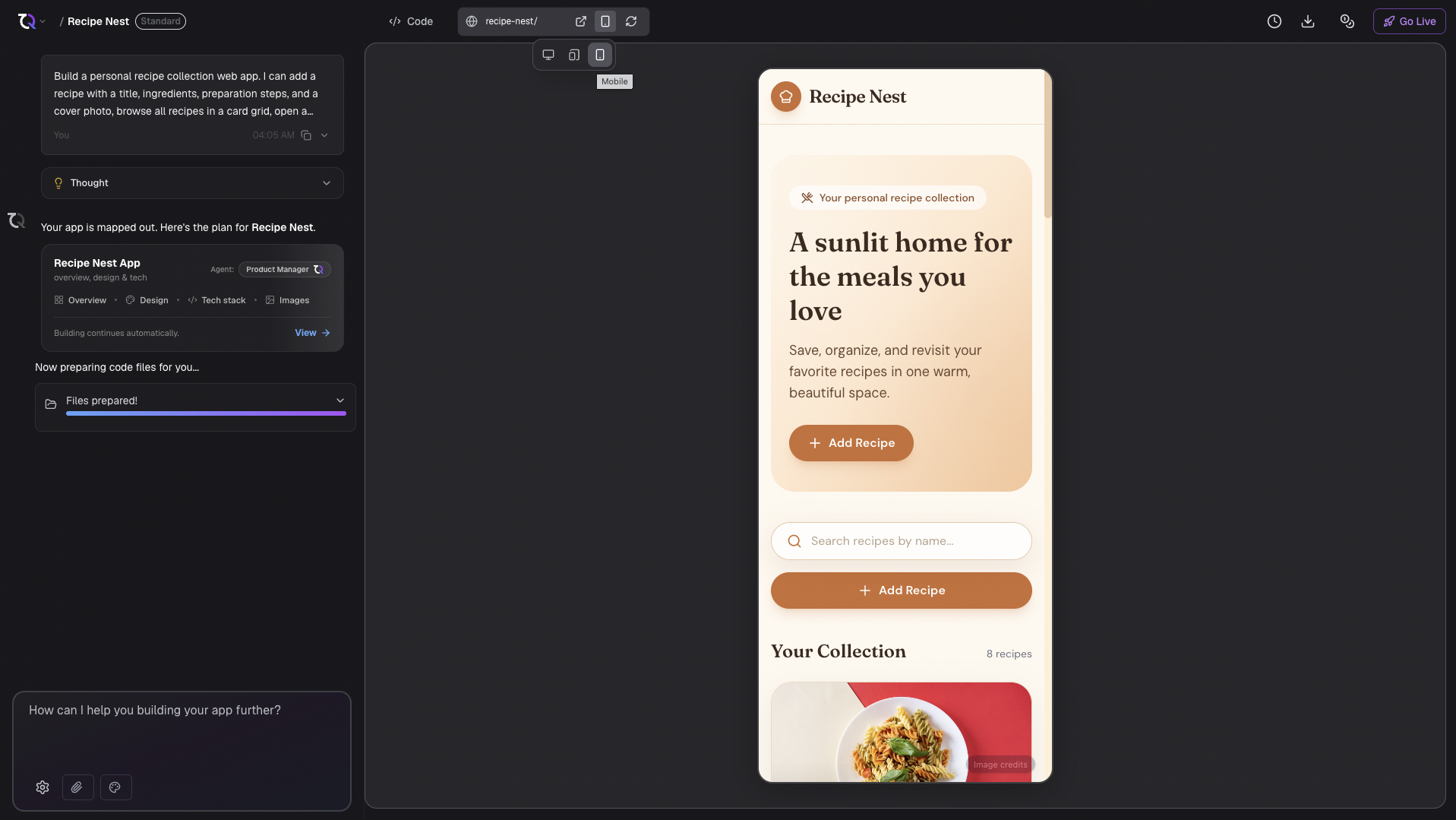
Refresh and open in a new tab
The preview toolbar also lets you:
- Open in New Tab to view your app in a full browser tab.
- Force Refresh to reload the preview and clear its cache if something looks out of date.
Edit directly in the preview
The preview is not only for looking. Turn on edit mode from the toolbar that floats over it and you can click any element and change it on the spot: rewrite a heading, pick a different colour, adjust spacing, or swap an image. These edits do not cost credits. See Editing visually.
You can also draw on the preview to point the AI at something instead of describing where it is. See Annotations.
Keep refining
The preview is the best place to spot changes you want to make. When you see something to adjust, describe the change in the chat and TatbiQ updates your app.