How TatbiQ works
TatbiQ turns a plain-language description into a real, working web app. You describe what you want, the AI builds it, and you refine it through chat until it is ready to publish. You never have to write code yourself.
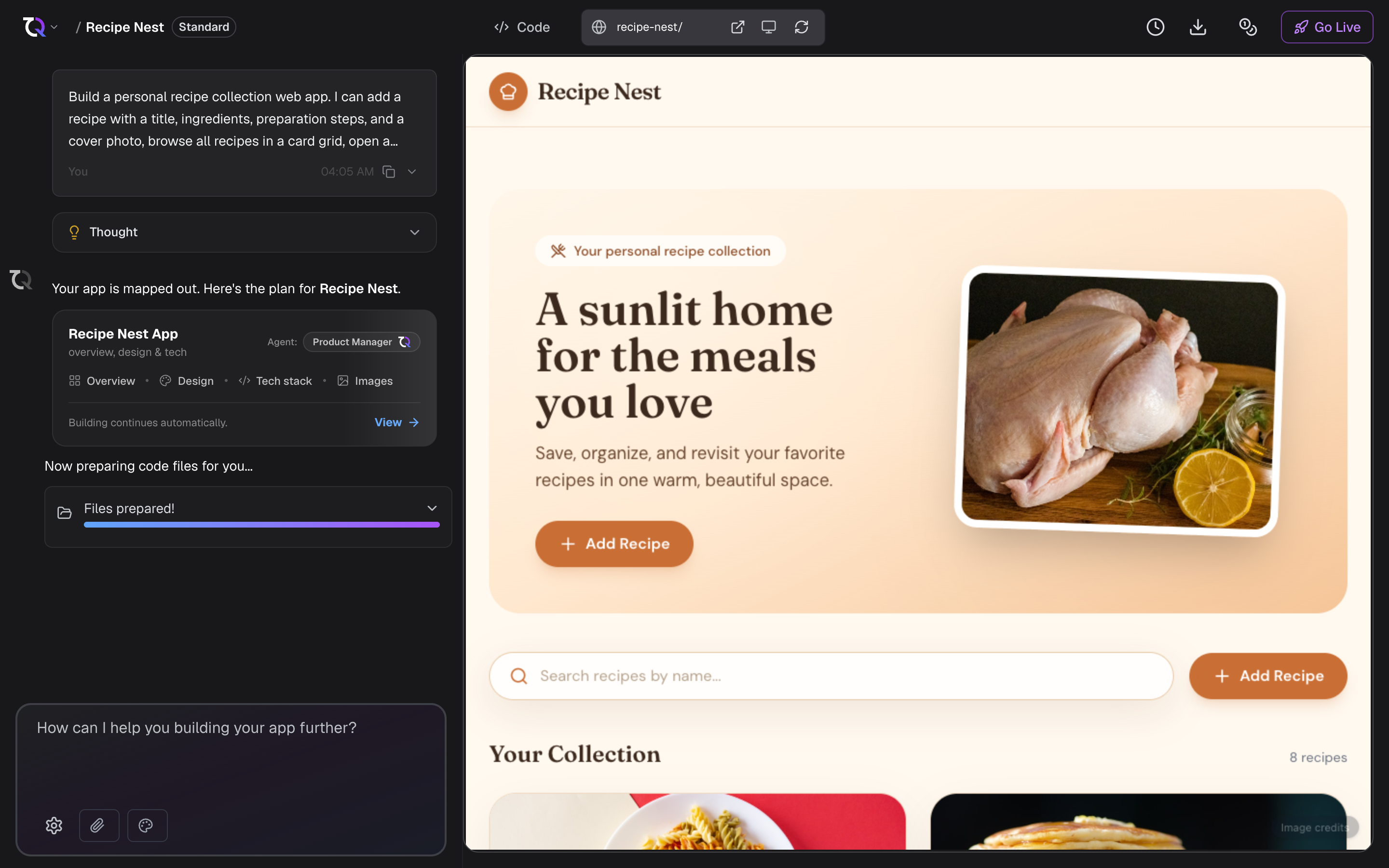
From prompt to app
When you create a project, TatbiQ works through a few stages behind the scenes:
The AI reads your prompt and works out what kind of app you want, what screens it needs, and how it should behave.
It turns that understanding into a technical plan for the app's structure and pages.
The AI generates a complete React web app, including the pages, layout, and styling.
If the build runs into errors, TatbiQ automatically tries to resolve them before handing the app back to you.
When generation finishes, your app opens in a live preview so you can see and interact with the result straight away.
What TatbiQ builds
Every app TatbiQ generates is a standard, modern web app:
- Built with React and styled with Tailwind CSS.
- Responsive, so it works on desktop and mobile.
- Self-contained by default, storing data in the browser. You can connect a real database later with Database & Backend.
Keep improving
Your first version is a starting point, not the finished product. You refine it in two ways, and most projects use both:
- Through chat. Ask for changes, add features, adjust the design, or fix issues. Each round of edits updates your app in place. See Editing with AI chat.
- Directly in the preview. Click an element and change its text, colour, spacing, or image yourself. This costs no credits and is quicker for small adjustments. See Editing visually.
Your safety net
TatbiQ saves versions of your project as you go, so you can always go back to a working state. Read more in Checkpoints.
What it costs
Creating a project and making chat edits use credits from your workspace balance. To understand how this works, see How credits work and Chat edit credit costs.