Vouchers and promo codes
A voucher adds TatbiQ credits straight to your workspace. If you received a voucher code, you can redeem it in a few seconds and start spending the credits right away.
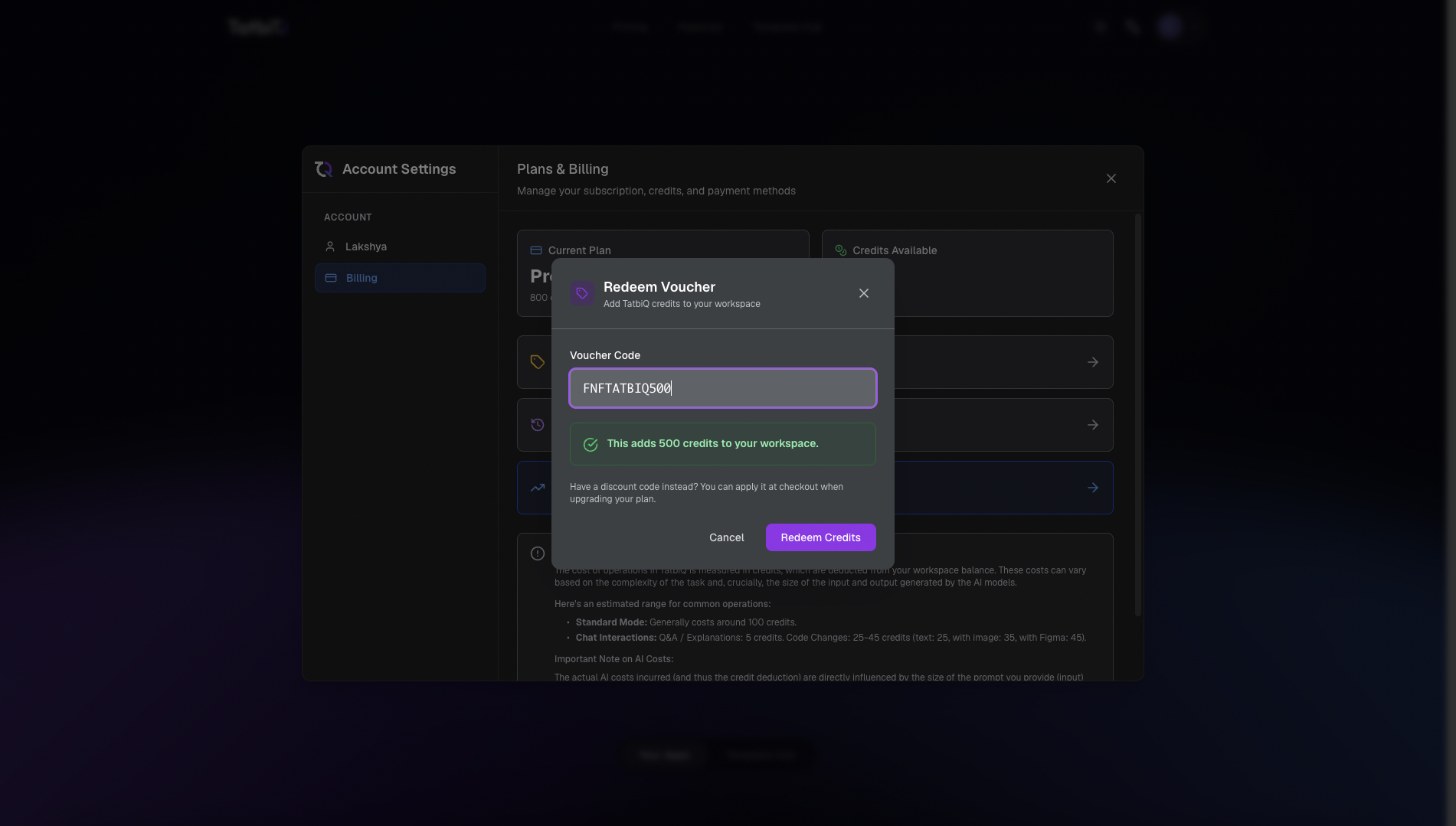
Redeem a voucher
Open your billing settings.
Select Have a voucher?
Enter your code in the Voucher Code field.
Select Redeem Credits.
Before you confirm, TatbiQ shows how many credits the voucher will add. Once you redeem it, the credits are added to your workspace and your balance updates. Like all credits, voucher credits do not expire.
Voucher links
Some vouchers come as a link rather than a code you type in. When you open a voucher link and sign in or create your account, the credits are added to your workspace automatically. There is nothing extra to enter.
If a voucher does not work
If a code cannot be redeemed, TatbiQ tells you why. Common reasons include:
- The code was entered incorrectly or is not a valid voucher.
- The voucher has expired or is not active yet.
- The voucher has already been redeemed or has reached its redemption limit.
- The voucher is no longer available.
Double-check the code for typos and try again. If it still does not work, contact support for help.
Vouchers vs discount codes
These two are easy to mix up:
- A voucher adds credits to your workspace. You redeem it from billing settings as described above.
- A discount code lowers the price when you upgrade your plan. You apply it at checkout, not in the voucher field.