How credits work
Credits are the currency you spend inside TatbiQ. You use them when you ask the AI to do work for you, such as creating a new app or making changes through chat. Each plan comes with a monthly credit allowance, and you can top up with more credits whenever you need them.
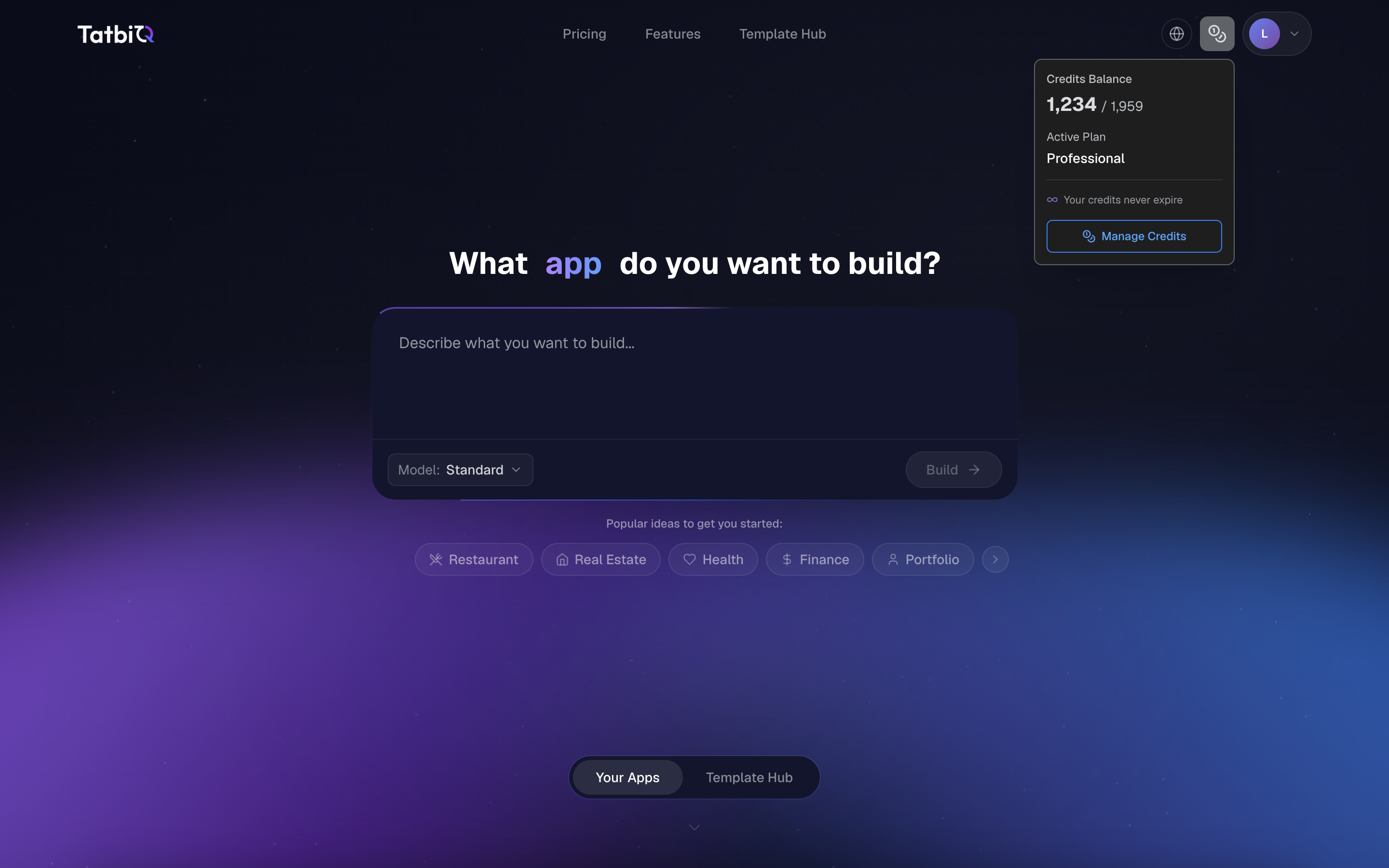
When credits are used
You spend credits on AI work, mainly in two places:
- Creating a project: generating a new app from your description consumes credits.
- Editing with AI chat: asking the AI to make changes to your app consumes credits per request. The amount depends on what you send. See Chat edit credit costs for the exact figures.
Browsing your projects, previewing your app, and other everyday actions in the workspace do not cost credits. You only spend credits when the AI does work for you.
Getting more credits
There are a few ways to add credits to your workspace:
- Your monthly plan allowance: each plan refreshes a set number of credits.
- Credit top-ups: buy more credits at any time if you run out before your next refresh.
- Vouchers and promo codes: redeem a voucher to add credits directly to your workspace. See Vouchers and promo codes.
Credits do not expire
Your credits stay in your workspace and do not expire, so anything you do not use this month is still there next month.
Keeping an eye on your balance
You can check your current credit balance and your recent credit activity from your billing settings. If your balance runs low, you can top up or redeem a voucher to keep building.
See current pricing
Monthly credit amounts and prices can change. For the latest details, visit tatbiq.ai/pricing.