Account and settings basics
Your account settings are where you check your profile details, review your plan and credits, and manage your preferences. This page shows you where to find them and what you can do.
Opening your account menu
Select your profile avatar in the top corner of the app to open your account menu. From here you can:
- Open Settings to view your profile and billing.
- Go to Billing & plans to manage your plan and credits.
- Redeem a credit voucher if you have a code.
- Get help and explore features.
- Sign out of your account.
Your profile
Open Settings and choose the Account section to see your profile information:
- Display name
- Email address
These details come from the account you signed up with, so they are shown for reference.
Billing and credits
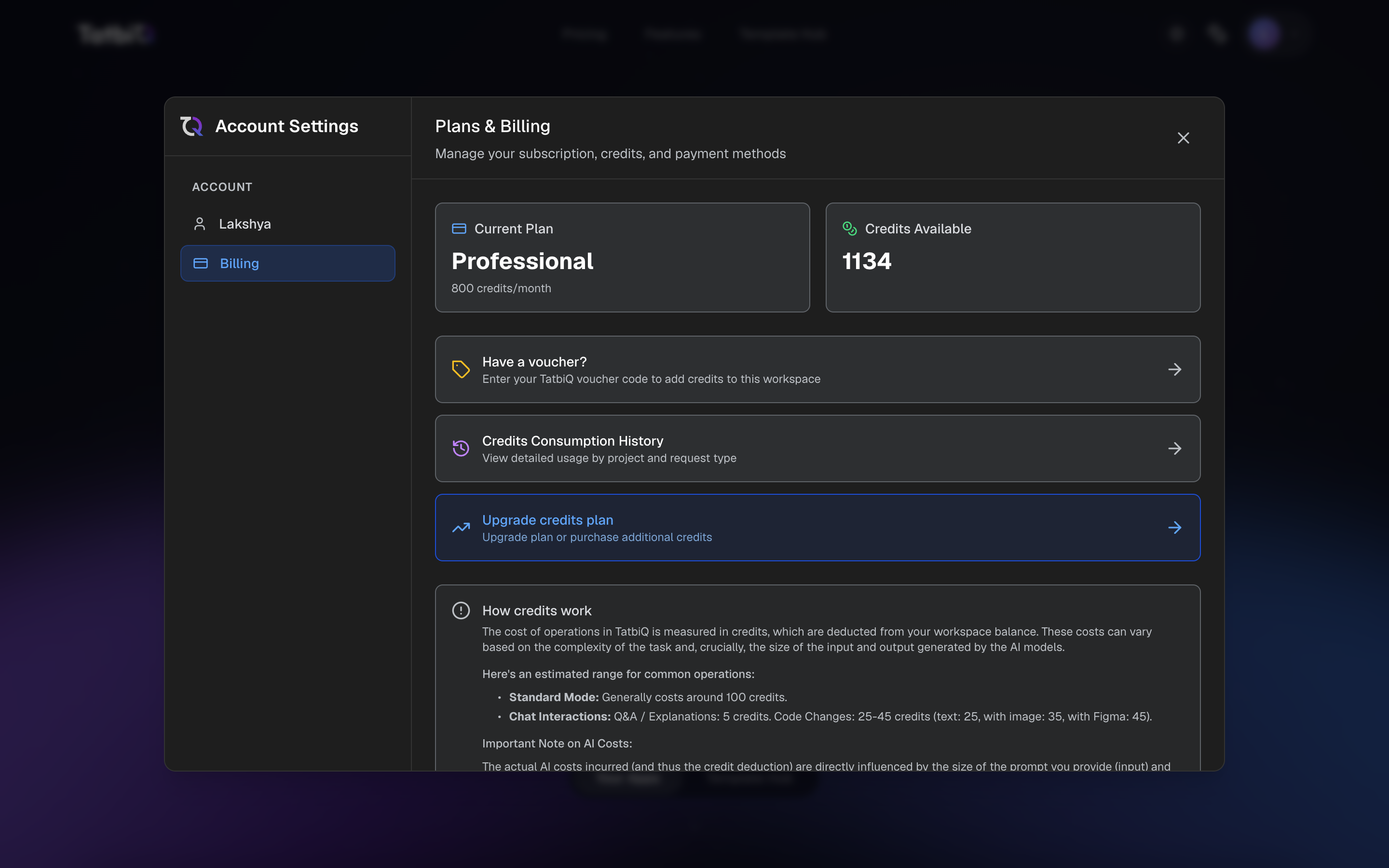
In Settings, choose the Billing section to see your plan and credits in one place:
- Your current plan and the monthly credits it includes.
- Your available credit balance.
- A shortcut to redeem a voucher and add credits.
- Your credit consumption history, so you can review how credits were used.
- An option to upgrade or buy more credits.
- A billing currency selector. See Changing your currency for how to choose one and when it locks.
For a fuller explanation of credits, see How credits work, and to learn about vouchers see Vouchers and promo codes.
Language
You can switch the app between English and Arabic at any time using the language button (the globe icon). Your choice is remembered for next time. See Changing language for the full steps.
Signing out
To sign out, open your account menu from your avatar and choose Sign out.